Showing posts with label ableton. Show all posts

Saturday, January 2, 2016

Ableton Push 2 digital midi usb pads controller

Ableton Push 2 digital midi usb pads controller


Dedicated Pad Controller and Control Surface for Ableton Live with 64 Pads and Color LCD Display - Includes Ableton Live 9.5 Intro (Mac/PC) Ableton Push 2 with Live 9.5 Intro at a Glance:

Hands-on control enhances your workflow
Playable pads make music production easy
Sample and slice with total tactile control
Start out strong with Ableton Live 9.5 Intro
Hands-on control enhances your workflow From the beginning, Ableton Live has been a musical playground that allows artists like you to create fully developed music from scratch, and Live 9.5 comes loaded with more instruments and production options than ever.

Push 2 puts all of that potential right at your fingertips, allowing you to access the tools you need while keeping you locked into your creative workflow.

A high-resolution color display surrounded by touch-sensitive encoders lets you move effortlessly from browsing devices and plug-ins to slicing up beats, tweaking virtual instrument parameters, and more. There's literally no need to look at your computer monitor when you're creating and performing with Push 2.

Playable pads make music production easy For many of us here at Sweetwater who grew up with keyboards, Push 2 was the pad controller that finally won us over. When it comes to musical expression, this 64-pad matrix has most keyboards beat.

You can create swells between individual notes just by applying pressure, and you can bend notes with the touch strip. Multicolor lighting even lets you keep track of key intervals and scales - a real bonus if you're used to a conventional keyboard. This same matrix makes triggering loops for improvised arrangements totally intuitive, and you can't beat these pads when it comes to laying down drum grooves. Best of all, you can switch between performing, developing new beats, and launching loops so fast that you'll never break your flow.

Sample and slice with total tactile control Expanded sampling capabilities in Live 9.5 work seamlessly with Push 2 to make chopping loops and producing beats easier than ever. For starters, sampling in new beats is a totally streamlined process, and once you've captured your material, slicing loops across the pads and creating new beats is a piece of cake.

The full-color display lets you zoom in on specific details, and the conveniently positioned encoders make tweaking slices and warping samples intuitive. This makes Push 2 the perfect companion to the overhauled Simpler sample engine in Ableton Live 9.5. Start out strong with Ableton Live 9.5 Intro Ableton Live 9.5 Intro DAW software is the perfect way to get into making and performing music live with your computer.

Whether you're a long-time recording pro or just getting into music production and digital DJing, Live 9.5 Intro has a world of flexible and creative options to offer you. With Live's non-linear Session view, you're naturally encouraged to write music and arrange loops in independent pieces and then experiment with your arrangements.

MIDI control and automation are intuitive, plus Live 9.5 Intro comes loaded with great new options such as a redesigned Simpler sample engine for beat slicing and much more. It's a great way to discover the power of Push 2. Ableton Push 2 with Live 9.5 Intro Features:

The ultimate controller for Ableton Live and a perfect companion to Live 9.5
High-res color screen provides detailed visual feedback and waveform display
Touch-sensitive encoders and additional controls provide complete access to Live
64-pad matrix for playing instruments, slicing beats, improvising with loops, and more
Velocity-/pressure-sensitive pads play like a sophisticated musical instrument
Select scales and see important integers directly on the pad matrix
2 footswitch inputs give you even more control options
Runs on USB power with optional external power for added illumination
Includes power supply, USB cable, and a full version of Live 9.5 Intro
https://www.ableton.com/

Specifications

Included

Push hardware
100-240VAC, 50/60Hz with interchangeable heads for North/Central America & Japan (Type A), China (Type A & I), Europe (Type C), UK (Type G), Australia & New Zealand (Type I)
USB cable 1.40m (55.12 inches)
Quick Start Guide + Download version of Live 9
Dimensions

Width: 370mm (14.57 inches)
Depth: 293mm (11.54 inches)
Height (body): 26mm (1.02 inches), (body + encoders): 46mm (1.81 inches)
Weight: 2990g (6.6 pounds)
Connections

External Power: 12V DC 1.25A
USB Power: 5V/0.5A
Two pedal inputs
Kensington Lock
Shell

Thick
Lightweight
Anodized aluminium
Pads

Soft silicon pads
Carefully calibrated to respond perfectly at any velocity
RGB backlighting
Buttons

Control buttons gently click
Lit with white or multi-colored LEDs
Indicate a variety of states
Encoders

High-resolution endless encoders
Touch responsive
Display

High-resolution RGB display
Bright and clear
Visible at any viewing angle and under any lighting
Touchstrip

17cm touch strip for pitch bend/scrolling
31 LEDs for navigation

Sunday, March 10, 2013

Ableton PUSH Instrument Integrated , Touch-Sensitive hardware MIDI Controller [ Coming April / May 2013 ]

Ableton PUSH Instrument Integrated , Touch-Sensitive hardware MIDI Controller [ Coming April / May 2013 ]


Ableton is doing its own hardware. Sure, Ableton’s logo was on the Akai APC40 and Novation Launchpad, and yes, “engineering by Akai” is stamped on the Push. But make no mistake: this is really the first Ableton hardware, and it shows.

Push is a grid controller with extra keys and encoders for navigating features. It shows the influence of devices like the monome (and divides up that grid like the Pages and 7up patches from the community). But it also includes controller features that are specifically integrated with Live, recalling custom controllers used by Monolake.

Ableton pitches this as a hardware “instrument,” but it’s both instrument and controller. And Ableton says it solves the problem of “how to make a song from scratch,” but it also solves the problem of how to perform with Live. In fact, it solves the problem of how to make a song from scratch while performing, coupled with some new Live 9 clip recording enhancements that work with other controllers, too. In typical Ableton fashion, then, it doesn’t really matter whether “live” means “live onstage” or just “working faster in the studio.”

As with Live 9, I got to spend some time playing Push and talking to the developers who worked on it last week at an event with other press, partners, and artists at Ableton’s offices. The hardware is near-final, but software is still in development, so some features are subject to change.

Read the specs anywhere, so let’s list the biggest surprises :

The pads sense velocity and pressure – no more grids limited to on/off only.
A ribbon controller along the side adds additional control and expression.
All this light and color runs on bus power. (Awesome feature: plug in external power, and everything gets brighter.)
It’s hacker-friendly: USB class-compliant (hello, Linux, iOS), and fully controllable via MIDI. (You can evidently even use the displays via SysEx.)
You do get some footswitch inputs, too.

You get 64 velocity-and pressure-sensitive multi-colored pads, plus eleven touch-sensitive endless encoders.

As an “instrument,” Push maps to an isomorphic pitch layout. It’s I think the first time we’ve seen such a layout in mainstream, non-niche hardware (unless you count iPad apps). That makes the grid map usefully to different keys and harmonic structures, and it’s there by default – no extra work needed. In a feature I hope survives from the prototype to the final version, there’s even feedback on equivalent pitches as you play.

The advantage of isomorphic layouts is, once you learn a pattern, transposition is easy, and chords and harmonies are generally easier to find. (A guitar, for instance, is actually isomorphic; a piano is not. I like pianos, and you can learn to transpose on them, but for learning a new instrument, this is an ideal choice.) At the Ableton demo last week, we got to see “Giant Steps” played in all keys.

And, of course, you get all of this with pressure, mapped to aftertouch. If you can accommodate the grid layout, that could make Push a really expressive instrumental controller, particularly with the ribbon controller. The challenge may be fatigue playing pads; some velocity sensitivity adjustment will be necessary. But the pads felt good even on a prototype unit. Yes, they’re Akai-built pads.

As a “controller,” Push does all the business with clips you’d expect. What seemed impressive in early demos was how tightly it could integrate with the production workflow. You can quickly drop into recording a clip or overdub settings, adding to a track as you go.

There are various clever features. For instance, since the color scheme could be potentially confusing, lights pulse to show active clips for playback and recording. A display shows you the remaining time in clips. And crucially, you can navigate Live, and select clips without launching them. The APC and Launchpad for me never quite got to the stage where I could hide the computer and still use Live; it looks like Push just might.

We’ll look closer soon at how these mappings work, but there were already impressive examples in which Push was running step sequencers, triggering and recording clips, and playing instrumental solos, all right out of the box – no fancy Max for Live patching required.

If fancy Max for Live patching is what you want, you can do that, too. You can “hijack” everything Push does as far as Live control and customize it, with complete control over the hardware and the way the software responds. There’s also a “user” mode, as with Launchpad, which you can assign to your own tools (like a plug-in, for instance), then switch between them. Right now, you can’t use more than one Push in controller mode, though you could presumably set the second to “user” mode and map it separately.

Ableton showed off the Push at a private demo event last week, demoing it by pulling it out of a small backpack to illustrate how portable it is. The hardware really looks beautiful and feels luxurious, more so than any of this class of controller we’ve seen previously, on first impression. On pads, it will have to live up to the fantastically-responsive pads on the new Native Instruments Maschine, but of course you get 64 instead of 16, and the Push appears to be more versatile as a Live controller. (One Push, one Maschine may be popular among those who can afford both.)

As with Live 9, Push is promised for first quarter of 2013. And you’ll need some version of Live 9 to use it – at least with its native control features, which are kind of the point. (Well, though I do expect some hacker to do something ridiculous with this and Renoise. Let’s get on that.)

(You’ll still need separate hardware for audio, but I’d choose compactness and bus power over that, anyway; I’ve got an audio interface.)

No one controller can suit everyone, but I have to say, Push looks like it makes a reasonable set of compromises. Fortuantely, there’s nothing stopping hackers from doing their own, similar controls in Live 9 if they desire. But for those who do want something off the shelf, Push is a big leap forward. We’ll be testing it as it becomes available, and then can look more closely at how mappings work.


Ableton Live 9 Standard Edition [ EDUCATION aka EDU Version ] Music Production Software

Ableton Live 9 Standard Edition [ EDUCATION aka EDU Version ] Music Production Software

(1) Ableton Live 9 Standard
This is an educational version of Ableton that requires verification of teacher or student status after purchase.


Ableton Live 9 Standard Features:

3 Instruments
37 Effects
1100+ Sounds
Unique Session View for quick, intuitive composition, flexible performance and improvisation
Multitrack recording up to 32-bit/192 kHz
Nondestructive editing with unlimited undo
Powerful MIDI sequencing of software and hardware instruments
Advanced warping and real-time time-stretching
Unlimited Instruments, Audio effects and MIDI effects per project
Group tracks
VST and Audio Unit support
Time signature changes
Multiple automation lanes
Track Freeze
Automatic plug-in delay compensation
MIDI remote control instant mapping
MIDI output to hardware synths
MIDI Clock/sync
ReWire
Multicore/multiprocessor support
WAV, AIFF, MP3, Ogg Vorbis, FLAC file support

Record automation into clips. Edit automation with curves. Session View automation lets you capture your performance or add movement to your loops. Use curves to make automation more musical.
Live’s unique Session View makes it easy to improvise with musical ideas. In Live 9, you can now record parameter changes directly into Session View for even more flexibility. Edit automation curves with the mouse to create smooth mix transitions or radical parameter changes in your clips.

In one click, create new Session View scenes from your Arrangement tracks, or drag and copy individual clips from Arrangement to Session. The automation comes with them, making it easier than ever to move from improvising to arranging and back.

Find sounds fast. With Live’s new browser, spend less time finding sounds and more time making music.
Live’s new browser puts all of your instruments and effects, samples, Packs and VST/Audio Units plug-ins in one easy-to-navigate view. Drag and drop folders into the browser from anywhere on your computer. Search as you type, navigate from the keyboard and sort items by various categories.

Play new sounds. Live’s library includes new Instrument Racks and sounds to get you going fast.
Live 9 Suite comes with more than 3000 production-ready sounds that give you the full range of vintage synthesizers, drum kits and one-shot samples, acoustic instruments and loops - all powered by Live's built-in synthesizers and effects so they can be tweaked and personalized. All sounds are organized for Live 9's new browser and work seamlessly with all common hardware controllers.

Get your sound right. The new analog-modeled Glue Compressor and redesigned studio effects help you get a better sound in less time.
Live’s new Glue Compressor, developed in collaboration with Cytomic, is modeled on a classic 80s console bus compressor, both for its great sound and also to provide musical results with a simple set of controls. Live’s studio effects - Compressor, Gate and EQ Eight - have been improved with new displays, enhanced controls and better sound, making it easier to see and hear your changes.

Reclaim the music in your samples....Live 9’s new tools for converting audio to MIDI give you unprecedented flexibility to extract musical ideas from your samples and build upon them.
Convert your favorite drum break with the Drums-to-MIDI feature and reuse it with your own sounds. Speed up your remixing work by using Harmony-to-MIDI to get the notes and chords from the original audio stems. Or simply seed your creativity with inspiring, natural-feeling MIDI grabbed directly from the most exciting parts of your music collection.

...or sing the music in your head. Sketch out ideas quickly by singing (or beatboxing) into Live and converting your recording to MIDI.
Your voice is the new keyboard: sing, beatbox, tap a rhythm on your desk, or play any solo instrument to capture your musical ideas as they come. Then use the Melody- or Drums-to-MIDI feature to turn your recordings into MIDI clips that you can edit and reuse with any sound.

Edit the details. Powerful MIDI note manipulation tools and an improved editing workflow help you create new musical ideas fast.
Transform MIDI notes
New controls in the MIDI editor let you quickly invert, reverse, transpose and speed up or slow down selected MIDI notes in a single click.

Move notes on and off the grid
Beats are easier to see when editing, and editing grids are now “sticky,” allowing notes to be freely moved and resized while still snapping when close to grid lines.

Stretch MIDI notes
MIDI Note Stretch markers let you speed up, slow down - or even reverse - selected MIDI notes.

Warp clip automation
Audio clip automation is warped alongside the audio itself. Envelopes in MIDI clips can be stretched using MIDI stretch markers.

Edit automation more easily
Add or remove breakpoints with a single click. Hover the mouse near envelope segments to select and drag them without using a modifier.

Add curves to automation
Hold a modifier while dragging to create and edit curves in automation envelopes.

Max for Live is now included in Suite.Expand and extend your musical possibilities with Max for Live.
Max for Live, based on Cycling 74's Max 6, is now included with Live 9 Suite. Get access to all of the 900+ devices built by the Max for Live community.

Explore new Suite devices. Get 26 new instruments and effects with Max for Live - including Convolution Reverb and Drum Synth
Because Live 9 Suite comes with Max for Live included, it comes with 26 new devices built with Max for Live. These include synths and effects, but also LFOs, envelopes, note delays and control modifiers to bring new expressive and creative possibilities.

Ableton Live 9 Standard Specifications:

Audio and MIDI tracks : Unlimited
Scenes : Unlimited
Send and Return tracks : 12
Audio inputsMono audio input channels : 128
Audio outputsMono audio output channels : 128

Complex warp modes Advanced algorithms for stretching audio, ideal for working with mixed audio or full tracks
Audio slicingS lice audio to a Drum Rack or Sampler instance
Audio to MIDI Extract harmony, melody or drums from an audio sample and convert it to MIDI
REX File support Support for ReCycle/Reason audio files
POW-r dithering Mastering quality dithering modes for downsampling audio
Video import/export Import video as a clip and save modified video and audio
Serato Scratch Live integration The Bridge - DJ in Serato Scratch Live with a synced Ableton Live set. Edit your Serato Scratch Live mixes in Ableton Live.
Groove pool and extract groove A set of templates for timing and "feel"of sequences - or make your by extracting timing from existing audio material

Software Instruments

External Instrument a tool for integrating your external hardware synthesizers into your Live Sets with the ease and flexibility of plug-ins
Drum Rack an instrument for layering samples, synths and effects in a classic 16-pad grid
Impulse a drum sampler with complex modulation capabilities
Simpler an easy-to-use but powerful sampler with classic synthesis parameters

Packs

Bomblastic Bomblastic is a Hip Hop drum kits library featuring 50 kits developed in conjunction with Uppercussion. Get punchy kicks, cracking snares, crisp claps, powerful percussion, hi-hats, cymbals and more. The kits are especially designed for Hip Hop, Dubstep, R&B, Pop and Dance genres.
Breakbeats by KutMasta Kurt A set of vintage-sounding Hip Hop breaks, kits and one-shots from producer Kutmasta Kurt, who has worked with artists including Too $hort, Beastie Boys, Kool Keith, The Pharcyde, and more. The breaks have been chopped up and MIDI sequenced, for flexible editing possibilities.
Cyclic Waves A premium selection from sound designer Ron MacLeod, constructed using innovative processing tools from Cycling '74, the makers of Max. Includes drum loops, acoustic instrument hits, lush ambiences, and more for inspiring sonic sculpting.
Digicussion 2 A booster shot featuring even more pounding, crisp drum sounds from Uppercussion. Great for pounding electronic production, experimental sound design, and all kinds of rhythmic music.
Drum Machines A choice selection of classic drum machines, sampled to faithfully reproduce original sounds, plus a range of drum patterns and Live Clips. Includes samples of the Roland TR-808 and TR-909, LinnDrum, Oberheim DMX, Boss DR-55, and more.
Grand Piano The powerful expressiveness of a renowned concert grand in Live. Multiple articulations, sampled from a carefully prepared and programmed piano to capture the virtuosity of the classical grand piano sound.
Guitars and Bass A set of electric guitars and basses, expertly multisampled to cover different playing styles, velocities and articulations - from funky slap bass to gently strummed guitar chords.
Konkrete Breaks A set of premium sounds from Soniccouture's Konkrete Drums libraries, plus MIDI Clips exclusively designed by six prominent London-based artists. Unlike traditional audio breaks, these MIDI breaks can easily be edited and reorganized by sound.
Sound Objects Lite A unique collection of sampled objects typically found in a hardware store, including saw blades, joist hangers, metal pipes, ceramic tiles, and more.
Vinyl Classics Over 400 loops and samples from Zero-G in a wide range of styles, including smooth '70s grooves, gritty hip hop and edgy, abstract weirdness.
Designer Drums Synthesized drums that demonstrate the versatility and quality of Ableton Live 9's instruments and effects.
Digicussion 1 A large synthetic drum library featuring dirty kicks, punchy snares, soft stabs, gritty textures, and more. Great for pounding electronic production, experimental sound design, and all kinds of rhythmic music.
Loopmasters Mixtape A set of samples and loops from Loopmasters, from synthesized sound design to acoustic drums and founds sounds. Features content from Partners such as Puremagnetik and Soniccouture, and Loopmasters'artist Pack sounds from artists such as Digable Planets, Coldcut, Todd Terry, and more.
Unnatural Selection A collection of samples, Live Clips and Demo Songs from Puremagnetik. Includes "Construction Kits", which can be easily rearranged and combined to create complete tracks.

Audio Effects

Dynamic Tube tube saturation for added harmonics and warmth
EQ Eight eight parametric filters with a variety of controls for shaping timbre
External Audio Effect a tool for integrating your external hardware effects into your Live Sets with the ease and flexibility of plug-ins
Filter Delay three delay lines with independent filtering, feedback, stereo position, and more
Frequency Shifter classic frequency shifting and ring modulation, for effects ranging from subtle phasing to dissonant, metallic sounds
Glue analog-modeled compressor based on the classic bus compressor from a famous 80s mixing console
Multiband Dynamic supward and downward compression and expansion of up to three frequency bands
Overdrive distortion effect based on classic guitar pedals
Resonators five parallel, tunable resonators that apply a tonal character to incoming audio
Spectrum realtime analysis and visualization of incoming audio
Vinyl Distortion emulates the noise and distortion of vinyl records
Vocoder classic “talking synthesizer” and robotic voice effects
Auto Filter classic analog filter emulation with an envelope follower and LFO
Auto Pan LFO-driven panning, tremolo and beat-synchronized chopping effects.
Beat Repeat creative beat mangling with controlled or randomized repetitions of an incoming signal
Chorus create thickening or flanging effects with two parallel modulated delays
Compressor dynamics processing to add punch and loudness
EQ Three three-band EQ with kill switches, modeled on classic DJ mixers
Erosion adds “digital”-sounding artifacts and noise to audio signals
Flanger classic tape phasing sound caused by time-modulated delays
Gate dynamics processing for noise reduction and decay or reverb shaping
Grain Delay granular delay with controlled or randomized pitch
Limiter sets an absolute output limit, suitable for mastering
Looper records, loops and overdubs audio, based on classic hardware looping pedals
Phasers weeping effects created by notches in the frequency spectrum
Ping Pong Delay filtered delay that jumps between the left and right outputs
Redux bit- and sample-rate reduction for classic lo-fi sounds
Reverb simulates the acoustics of real or imaginary rooms
Saturator waveshaping distortion for adding dirt, punch and warmth
Simple Delay two independent delay lines with feedback and tempo sync
Utility multipurpose tool for adjusting gain, phase, stereo width and more

MIDI Effects

Arpeggiator takes individual notes from a held chord and plays them as a rhythmical pattern
Chord adds up to six additional pitches to incoming MIDI notes to create chords
Note length alters the length of incoming MIDI notes or triggers notes via Note Off
Pitch transposes MIDI notes by a specified amount
Random applies chance-based random transposition to MIDI notes
Scale remaps incoming MIDI notes to different outgoing MIDI notes
Velocity randomizes or compresses MIDI note velocity

Ableton Live 9 Suite Edition [ EDUCATION aka EDU Version ] Music Production Software

Ableton Live 9 Suite Edition [ EDUCATION aka EDU Version ] Music Production Software

(1) Ableton Live 9 Suite (Educational Version)
This is an educational version of Ableton that requires verification of teacher or student status after purchased
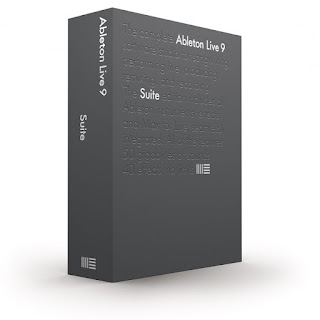


Ableton Live 9 Suite Features:

9 Instruments
40 Effects
3000+ Sounds
Max For Live
Unique Session View for quick, intuitive composition, flexible performance and improvisation
Multitrack recording up to 32-bit/192 kHz
Nondestructive editing with unlimited undo
Powerful MIDI sequencing of software and hardware instruments
Advanced warping and real-time time-stretching
Unlimited Instruments, Audio effects and MIDI effects per project
Group tracks
VST and Audio Unit support
Time signature changes
Multiple automation lanes
Track Freeze
Automatic plug-in delay compensation
MIDI remote control instant mapping
MIDI output to hardware synths
MIDI Clock/sync
ReWire
Multicore/multiprocessor support
WAV, AIFF, MP3, Ogg Vorbis, FLAC file support

Record automation into clips. Edit automation with curves. Session View automation lets you capture your performance or add movement to your loops. Use curves to make automation more musical.
Live’s unique Session View makes it easy to improvise with musical ideas. In Live 9, you can now record parameter changes directly into Session View for even more flexibility. Edit automation curves with the mouse to create smooth mix transitions or radical parameter changes in your clips.

In one click, create new Session View scenes from your Arrangement tracks, or drag and copy individual clips from Arrangement to Session. The automation comes with them, making it easier than ever to move from improvising to arranging and back.

Find sounds fast. With Live’s new browser, spend less time finding sounds and more time making music.
Live’s new browser puts all of your instruments and effects, samples, Packs and VST/Audio Units plug-ins in one easy-to-navigate view. Drag and drop folders into the browser from anywhere on your computer. Search as you type, navigate from the keyboard and sort items by various categories.

Play new sounds. Live’s library includes new Instrument Racks and sounds to get you going fast.
Live 9 Suite comes with more than 3000 production-ready sounds that give you the full range of vintage synthesizers, drum kits and one-shot samples, acoustic instruments and loops - all powered by Live's built-in synthesizers and effects so they can be tweaked and personalized. All sounds are organized for Live 9's new browser and work seamlessly with all common hardware controllers.

Get your sound right. The new analog-modeled Glue Compressor and redesigned studio effects help you get a better sound in less time.
Live’s new Glue Compressor, developed in collaboration with Cytomic, is modeled on a classic 80s console bus compressor, both for its great sound and also to provide musical results with a simple set of controls. Live’s studio effects - Compressor, Gate and EQ Eight - have been improved with new displays, enhanced controls and better sound, making it easier to see and hear your changes.

Reclaim the music in your samples....Live 9’s new tools for converting audio to MIDI give you unprecedented flexibility to extract musical ideas from your samples and build upon them.
Convert your favorite drum break with the Drums-to-MIDI feature and reuse it with your own sounds. Speed up your remixing work by using Harmony-to-MIDI to get the notes and chords from the original audio stems. Or simply seed your creativity with inspiring, natural-feeling MIDI grabbed directly from the most exciting parts of your music collection.

...or sing the music in your head. Sketch out ideas quickly by singing (or beatboxing) into Live and converting your recording to MIDI.
Your voice is the new keyboard: sing, beatbox, tap a rhythm on your desk, or play any solo instrument to capture your musical ideas as they come. Then use the Melody- or Drums-to-MIDI feature to turn your recordings into MIDI clips that you can edit and reuse with any sound.

Edit the details. Powerful MIDI note manipulation tools and an improved editing workflow help you create new musical ideas fast.
Transform MIDI notes
New controls in the MIDI editor let you quickly invert, reverse, transpose and speed up or slow down selected MIDI notes in a single click.

Move notes on and off the grid
Beats are easier to see when editing, and editing grids are now “sticky,” allowing notes to be freely moved and resized while still snapping when close to grid lines.

Stretch MIDI notes
MIDI Note Stretch markers let you speed up, slow down - or even reverse - selected MIDI notes.

Warp clip automation
Audio clip automation is warped alongside the audio itself. Envelopes in MIDI clips can be stretched using MIDI stretch markers.

Edit automation more easily
Add or remove breakpoints with a single click. Hover the mouse near envelope segments to select and drag them without using a modifier.

Add curves to automation
Hold a modifier while dragging to create and edit curves in automation envelopes.

Max for Live is now included in Suite.Expand and extend your musical possibilities with Max for Live.
Max for Live, based on Cycling 74's Max 6, is now included with Live 9 Suite. Get access to all of the 900+ devices built by the Max for Live community.

Explore new Suite devices. Get 26 new instruments and effects with Max for Live - including Convolution Reverb and Drum Synth
Because Live 9 Suite comes with Max for Live included, it comes with 26 new devices built with Max for Live. These include synths and effects, but also LFOs, envelopes, note delays and control modifiers to bring new expressive and creative possibilities.

Ableton Live 9 Suite Specifications:

Key Features

Audio and MIDI tracks : Unlimited

Scenes

Send and Return tracks : 12
Audio inputs Mono audio input channels : 128
Audio outputs Mono audio output channels : 128
Max for Live Inspiring synths, effects and customizations to Live itself, as well as a toolkit for building your own
Complex warp modes Advanced algorithms for stretching audio, ideal for working with mixed audio or full tracks
Audio slicing Slice audio to a Drum Rack or Sampler instance
Audio to MIDI Extract harmony, melody or drums from an audio sample and convert it to MIDI
REX File support Support for ReCycle/Reason audio files
POW-r dithering Mastering quality dithering modes for downsampling audio
Video import/export Import video as a clip and save modified video and audio
Serato Scratch Live integration The Bridge - DJ in Serato Scratch Live with a synced Ableton Live set. Edit your Serato Scratch Live mixes in Ableton Live.
Groove pool and extract groove A set of templates for timing and "feel"of sequences - or make your by extracting timing from existing audio material

Software Instruments

Analog emulates the unique character of vintage analog synthesizers
Collision physical modeling instrument for authentic mallet percussion sounds and creative percussion
Electric the sounds of classic electric pianos
Operator Operator is a versatile synthesizer combining frequency modulation and subtractive synthesis.
Sampler sampling instrument with multisample playback and import as well as profound sound design options
Tension physical modeling string synthesizer
External Instrument a tool for integrating your external hardware synthesizers into your Live Sets with the ease and flexibility of plug-ins
Drum Rack an instrument for layering samples, synths and effects in a classic 16-pad grid
Impulse a drum sampler with complex modulation capabilities
Simpler an easy-to-use but powerful sampler with classic synthesis parameters

Packs

The Forge by Hecq Musician and sound designer Hecq presents his set of signature sounds, loops and drum one-shots. Includes experimental recordings, unique Live Clips and presets that push Live's instruments and effects to new realms.
Latin Percussion A collection of acoustic percussion instruments such as congas, timbales, claves, shakers, tambourines and bells from the worlds of Brazillian, Afro-Cuban and African music.
Orchestral Brass A thorough set of vivd and colorful brass instruments. Features solo and ensemble French horn, trombone, trumpet and tuba, with a unique set of articulations in multiple section sizes.
Orchestral Percussion The true essence of symphonic percussion instruments in pristine quality. Features vibraphone, marimba, xylophone, crotales, glockenspiel, tubular bells, cymbals and timpani with a variety of articulations.
Orchestral Strings A comprehensive selection of naturally rich and dynamic stringed instruments. Features solo and ensemble violin, viola, cello and double bass, all recorded in their natural positions within the orchestra, complete with a number of articulations.
Orchestral Woodwinds Features a variety of clear and vibrant wind instruments. Includes solo and ensemble flute, clarinet, bassoon, oboe and English horn, with a broad spectrum of articulations.
Retro Synths Retro Synths by Puremagnetik contains more than 4,000 samples from the greatest classic synths of the past three decades, including rich bass from the Minimoog, acid squelch from the Roland TB-303, and the classic digital "phase distortion"synthesis from the Casio CZ-series.
Samplification Kick-start your sampling skills with Samplification, a pack of presets, Instrument Racks, Construction Kits, and Lessons. With sound content from Puremagnetik, Cycling '74 and SonArte, Samplification demonstrates the capabilities of Sampler.
Session Drums Club Session Drums is a meticulously multisampled library of acoustic drums that reproduces the nuances of a recording session and puts you in the engineer's seat. Session Drums Club features room ambience from club environments - inject some character into your drums.
Session Drums Studio Session Drums is a meticulously multisampled library of acoustic drums that reproduces the nuances of a recording session and puts you in the engineer's seat. Session Drums Studio features clear studio recordings of world-class drum kits, properly miked and ready to play.
Session Drums Multimic Session Drums is a meticulously multisampled library of acoustic drums that reproduces the nuances of a recording session and puts you in the engineer's seat. Session Drums Multimic kits put you in the engineer's position - edit the various mic positions and distances to get your perfect kit.
Bomblastic Bomblastic is a Hip Hop drum kits library featuring 50 kits developed in conjunction with Uppercussion. Get punchy kicks, cracking snares, crisp claps, powerful percussion, hi-hats, cymbals and more. The kits are especially designed for Hip Hop, Dubstep, R&B, Pop and Dance genres.
Breakbeats by KutMasta Kurt A set of vintage-sounding Hip Hop breaks, kits and one-shots from producer Kutmasta Kurt, who has worked with artists including Too $hort, Beastie Boys, Kool Keith, The Pharcyde, and more. The breaks have been chopped up and MIDI sequenced, for flexible editing possibilities.
Cyclic Waves A premium selection from sound designer Ron MacLeod, constructed using innovative processing tools from Cycling '74, the makers of Max. Includes drum loops, acoustic instrument hits, lush ambiences, and more for inspiring sonic sculpting.
Digicussion 2 A booster shot featuring even more pounding, crisp drum sounds from Uppercussion. Great for pounding electronic production, experimental sound design, and all kinds of rhythmic music.
Drum Machines A choice selection of classic drum machines, sampled to faithfully reproduce original sounds, plus a range of drum patterns and Live Clips. Includes samples of the Roland TR-808 and TR-909, LinnDrum, Oberheim DMX, Boss DR-55, and more.
Grand Piano The powerful expressiveness of a renowned concert grand in Live. Multiple articulations, sampled from a carefully prepared and programmed piano to capture the virtuosity of the classical grand piano sound.
Guitars and Bass A set of electric guitars and basses, expertly multisampled to cover different playing styles, velocities and articulations - from funky slap bass to gently strummed guitar chords.
Konkrete Breaks A set of premium sounds from Soniccouture's Konkrete Drums libraries, plus MIDI Clips exclusively designed by six prominent London-based artists. Unlike traditional audio breaks, these MIDI breaks can easily be edited and reorganized by sound.
Sound Objects Lite A unique collection of sampled objects typically found in a hardware store, including saw blades, joist hangers, metal pipes, ceramic tiles, and more.
Vinyl Classics Over 400 loops and samples from Zero-G in a wide range of styles, including smooth '70s grooves, gritty hip hop and edgy, abstract weirdness.
Designer Drums Synthesized drums that demonstrate the versatility and quality of Ableton Live 9's instruments and effects.
Digicussion 1 A large synthetic drum library featuring dirty kicks, punchy snares, soft stabs, gritty textures, and more. Great for pounding electronic production, experimental sound design, and all kinds of rhythmic music.
Loopmasters Mixtape A set of samples and loops from Loopmasters, from synthesized sound design to acoustic drums and founds sounds. Features content from Partners such as Puremagnetik and Soniccouture, and Loopmasters'artist Pack sounds from artists such as Digable Planets, Coldcut, Todd Terry, and more.
Unnatural Selection A collection of samples, Live Clips and Demo Songs from Puremagnetik. Includes "Construction Kits", which can be easily rearranged and combined to create complete tracks.

Audio Effects

Amp emulates the sound and character of seven classic guitar amplifiers
Cabinet emulates the sound and character of five classic guitar cabinets
Corpus simulates the acoustic characteristics of seven types of resonant objects
Dynamic Tube tube saturation for added harmonics and warmth
EQ Eight eight parametric filters with a variety of controls for shaping timbre
External Audio Effect a tool for integrating your external hardware effects into your Live Sets with the ease and flexibility of plug-ins
Filter Delay three delay lines with independent filtering, feedback, stereo position, and more
Frequency Shifter classic frequency shifting and ring modulation, for effects ranging from subtle phasing to dissonant, metallic sounds
Glue analog-modeled compressor based on the classic bus compressor from a famous 80s mixing console
Multiband Dynamic supward and downward compression and expansion of up to three frequency bands
Overdrive distortion effect based on classic guitar pedals
Resonators five parallel, tunable resonators that apply a tonal character to incoming audio
Spectrum realtime analysis and visualization of incoming audio
Vinyl Distortion emulates the noise and distortion of vinyl records
Vocoder classic “talking synthesizer” and robotic voice effects
Auto Filter classic analog filter emulation with an envelope follower and LFO
Auto Pan LFO-driven panning, tremolo and beat-synchronized chopping effects.
Beat Repeat creative beat mangling with controlled or randomized repetitions of an incoming signal
Chorus create thickening or flanging effects with two parallel modulated delays
Compressor dynamics processing to add punch and loudness
EQ Three three-band EQ with kill switches, modeled on classic DJ mixers
Erosion adds “digital”-sounding artifacts and noise to audio signals
Flanger classic tape phasing sound caused by time-modulated delays
Gate dynamics processing for noise reduction and decay or reverb shaping
Grain Delay granular delay with controlled or randomized pitch
Limiter sets an absolute output limit, suitable for mastering
Looper records, loops and overdubs audio, based on classic hardware looping pedals
Phaser sweeping effects created by notches in the frequency spectrum
Ping Pong Delay filtered delay that jumps between the left and right outputs
Redux bit- and sample-rate reduction for classic lo-fi sounds
Reverb simulates the acoustics of real or imaginary rooms
Saturator waveshaping distortion for adding dirt, punch and warmth
Simple Delay two independent delay lines with feedback and tempo sync
Utility multipurpose tool for adjusting gain, phase, stereo width and more

MIDI Effects

Arpeggiator takes individual notes from a held chord and plays them as a rhythmical pattern
Chord adds up to six additional pitches to incoming MIDI notes to create chords
Note length alters the length of incoming MIDI notes or triggers notes via Note Off
Pitch transposes MIDI notes by a specified amount
Random applies chance-based random transposition to MIDI notes
Scale remaps incoming MIDI notes to different outgoing MIDI notes
Velocity randomizes or compresses MIDI note velocity

Max for Live devices

Convolution Reverb Capture the characteristic reverb of real physical spaces. Comes with an amazing library of impulse responses.
Convolution Reverb Pro Capture the characteristic reverb of real physical spaces with advanced sound shaping
Drum Synth 13 devices to create unique drum and percussion sounds using synthesis
Mono Sequencer Build MIDI patterns using classical step sequencing
Buffer Shuffler 2 Chop and reorder incoming audio on the fly")
LFO An LFO to modulate device parameters
Envelope Follower Use the envelope of any audio material to control device parameters
XY Pad Assign any two device parameters using an XY Pad
Multimap Map control information from other devices to multiple parameters
Device Randomizer Generate random control parameters to modulate devices or jump start an idea
Control Device MIDI Modify and map incoming MIDI control information to multiple parameters
Envelope An envelope that can be played with incoming MIDI notes
LFO MIDI An LFO that can be played with incoming MIDI notes
Note Echo Generate echoes for MIDI notes with delay and feedback control

Ableton Live 9 Intro Edition Music Production Software

Ableton Live 9 Intro Edition Music Production Software


Ableton Live 9 Intro Features:

3 Instruments
26 Effects
700+ Sounds
Unique Session View for quick, intuitive composition, flexible performance and improvisation
Multitrack recording up to 32-bit/192 kHz
Nondestructive editing with unlimited undo
Powerful MIDI sequencing of software and hardware instruments
Advanced warping and real-time time-stretching
Unlimited Instruments, Audio effects and MIDI effects per project
Group tracks
VST and Audio Unit support
Time signature changes
Multiple automation lanes
Track Freeze
Automatic plug-in delay compensation
MIDI remote control instant mapping
MIDI output to hardware synths
MIDI Clock/sync
ReWire
Multicore/multiprocessor support
WAV, AIFF, MP3, Ogg Vorbis, FLAC file support

Record automation into clips. Edit automation with curves. Session View automation lets you capture your performance or add movement to your loops. Use curves to make automation more musical.

Live’s unique Session View makes it easy to improvise with musical ideas. In Live 9, you can now record parameter changes directly into Session View for even more flexibility. Edit automation curves with the mouse to create smooth mix transitions or radical parameter changes in your clips.

In one click, create new Session View scenes from your Arrangement tracks, or drag and copy individual clips from Arrangement to Session. The automation comes with them, making it easier than ever to move from improvising to arranging and back.

Find sounds fast. With Live’s new browser, spend less time finding sounds and more time making music.
Live’s new browser puts all of your instruments and effects, samples, Packs and VST/Audio Units plug-ins in one easy-to-navigate view. Drag and drop folders into the browser from anywhere on your computer. Search as you type, navigate from the keyboard and sort items by various categories.

Play new sounds. Live’s library includes new Instrument Racks and sounds to get you going fast.
Live 9 Suite comes with more than 3000 production-ready sounds that give you the full range of vintage synthesizers, drum kits and one-shot samples, acoustic instruments and loops - all powered by Live's built-in synthesizers and effects so they can be tweaked and personalized. All sounds are organized for Live 9's new browser and work seamlessly with all common hardware controllers.

Get your sound right. The new analog-modeled Glue Compressor and redesigned studio effects help you get a better sound in less time.
Live’s new Glue Compressor, developed in collaboration with Cytomic, is modeled on a classic 80s console bus compressor, both for its great sound and also to provide musical results with a simple set of controls. Live’s studio effects - Compressor, Gate and EQ Eight - have been improved with new displays, enhanced controls and better sound, making it easier to see and hear your changes.

Reclaim the music in your samples....Live 9’s new tools for converting audio to MIDI give you unprecedented flexibility to extract musical ideas from your samples and build upon them.
Convert your favorite drum break with the Drums-to-MIDI feature and reuse it with your own sounds. Speed up your remixing work by using Harmony-to-MIDI to get the notes and chords from the original audio stems. Or simply seed your creativity with inspiring, natural-feeling MIDI grabbed directly from the most exciting parts of your music collection.

...or sing the music in your head. Sketch out ideas quickly by singing (or beatboxing) into Live and converting your recording to MIDI.
Your voice is the new keyboard: sing, beatbox, tap a rhythm on your desk, or play any solo instrument to capture your musical ideas as they come. Then use the Melody- or Drums-to-MIDI feature to turn your recordings into MIDI clips that you can edit and reuse with any sound.

Edit the details. Powerful MIDI note manipulation tools and an improved editing workflow help you create new musical ideas fast.
Transform MIDI notes
New controls in the MIDI editor let you quickly invert, reverse, transpose and speed up or slow down selected MIDI notes in a single click.

Move notes on and off the grid
Beats are easier to see when editing, and editing grids are now “sticky,” allowing notes to be freely moved and resized while still snapping when close to grid lines.

Stretch MIDI notes
MIDI Note Stretch markers let you speed up, slow down - or even reverse - selected MIDI notes.

Warp clip automation
Audio clip automation is warped alongside the audio itself. Envelopes in MIDI clips can be stretched using MIDI stretch markers.

Edit automation more easily
Add or remove breakpoints with a single click. Hover the mouse near envelope segments to select and drag them without using a modifier.

Add curves to automation
Hold a modifier while dragging to create and edit curves in automation envelopes.

Max for Live is now included in Suite.Expand and extend your musical possibilities with Max for Live.
Max for Live, based on Cycling 74's Max 6, is now included with Live 9 Suite. Get access to all of the 900+ devices built by the Max for Live community.

Explore new Suite devices. Get 26 new instruments and effects with Max for Live - including Convolution Reverb and Drum Synth
Because Live 9 Suite comes with Max for Live included, it comes with 26 new devices built with Max for Live. These include synths and effects, but also LFOs, envelopes, note delays and control modifiers to bring new expressive and creative possibilities.

Ableton Live 9 Intro Specifications:

Audio and MIDI tracks : 16
Scenes : 8
Send and Return tracks : 2
Audio inputs Mono audio input channels : 2
Audio outputs Mono audio output channels : 2

Software Instruments

Drum Rackan instrument for layering samples, synths and effects in a classic 16-pad grid
Impulsea drum sampler with complex modulation capabilities
Simpleran easy-to-use but powerful sampler with classic synthesis parameters

Packs

Designer Drums : Synthesized drums that demonstrate the versatility and quality of Ableton Live 9's instruments and effects.
Digicussion 1 : A large synthetic drum library featuring dirty kicks, punchy snares, soft stabs, gritty textures, and more. Great for pounding electronic production, experimental sound design, and all kinds of rhythmic music.
Loopmasters Mixtape : A set of samples and loops from Loopmasters, from synthesized sound design to acoustic drums and founds sounds. Features content from Partners such as Puremagnetik and Soniccouture, and Loopmasters'artist Pack sounds from artists such as Digable Planets, Coldcut, Todd Terry, and more.
Unnatural Selection : A collection of samples, Live Clips and Demo Songs from Puremagnetik. Includes "Construction Kits", which can be easily rearranged and combined to create complete tracks.

Audio Effects

Auto Filter classic analog filter emulation with an envelope follower and LFO
Auto Pan LFO-driven panning, tremolo and beat-synchronized chopping effects.
Beat Repeat creative beat mangling with controlled or randomized repetitions of an incoming signal
Chorus create thickening or flanging effects with two parallel modulated delays
Compressor dynamics processing to add punch and loudness
EQ Three three-band EQ with kill switches, modeled on classic DJ mixers
Erosion adds “digital”-sounding artifacts and noise to audio signals
Flanger classic tape phasing sound caused by time-modulated delays
Gate dynamics processing for noise reduction and decay or reverb shaping
Grain Delay granular delay with controlled or randomized pitch
Limiter sets an absolute output limit, suitable for mastering
Looper records, loops and overdubs audio, based on classic hardware looping pedals
Phasers weeping effects created by notches in the frequency spectrum
Ping Pong Delay filtered delay that jumps between the left and right outputs
Redux bit- and sample-rate reduction for classic lo-fi sounds
Reverb simulates the acoustics of real or imaginary rooms
Saturator waveshaping distortion for adding dirt, punch and warmth
Simple Delay two independent delay lines with feedback and tempo sync
Utility multipurpose tool for adjusting gain, phase, stereo width and more

MIDI Effects

Arpeggiator takes individual notes from a held chord and plays them as a rhythmical pattern
Chord adds up to six additional pitches to incoming MIDI notes to create chords
Note length alters the length of incoming MIDI notes or triggers notes via Note Off
Pitch transposes MIDI notes by a specified amount
Random applies chance-based random transposition to MIDI notes
Scale remaps incoming MIDI notes to different outgoing MIDI notes
Velocity randomizes or compresses MIDI note velocity

Ableton Live 9 Standard Edition Music Production Software

Ableton Live 9 Standard Edition Music Production Software


Ableton Live 9 Standard Features:

3 Instruments
37 Effects
1100+ Sounds
Unique Session View for quick, intuitive composition, flexible performance and improvisation
Multitrack recording up to 32-bit/192 kHz
Nondestructive editing with unlimited undo
Powerful MIDI sequencing of software and hardware instruments
Advanced warping and real-time time-stretching
Unlimited Instruments, Audio effects and MIDI effects per project
Group tracks
VST and Audio Unit support
Time signature changes
Multiple automation lanes
Track Freeze
Automatic plug-in delay compensation
MIDI remote control instant mapping
MIDI output to hardware synths
MIDI Clock/sync
ReWire
Multicore/multiprocessor support
WAV, AIFF, MP3, Ogg Vorbis, FLAC file support

Record automation into clips. Edit automation with curves. Session View automation lets you capture your performance or add movement to your loops. Use curves to make automation more musical.

Live’s unique Session View makes it easy to improvise with musical ideas. In Live 9, you can now record parameter changes directly into Session View for even more flexibility. Edit automation curves with the mouse to create smooth mix transitions or radical parameter changes in your clips.

In one click, create new Session View scenes from your Arrangement tracks, or drag and copy individual clips from Arrangement to Session. The automation comes with them, making it easier than ever to move from improvising to arranging and back.

Find sounds fast. With Live’s new browser, spend less time finding sounds and more time making music.
Live’s new browser puts all of your instruments and effects, samples, Packs and VST/Audio Units plug-ins in one easy-to-navigate view. Drag and drop folders into the browser from anywhere on your computer. Search as you type, navigate from the keyboard and sort items by various categories.

Play new sounds. Live’s library includes new Instrument Racks and sounds to get you going fast.
Live 9 Suite comes with more than 3000 production-ready sounds that give you the full range of vintage synthesizers, drum kits and one-shot samples, acoustic instruments and loops - all powered by Live's built-in synthesizers and effects so they can be tweaked and personalized. All sounds are organized for Live 9's new browser and work seamlessly with all common hardware controllers.

Get your sound right. The new analog-modeled Glue Compressor and redesigned studio effects help you get a better sound in less time.
Live’s new Glue Compressor, developed in collaboration with Cytomic, is modeled on a classic 80s console bus compressor, both for its great sound and also to provide musical results with a simple set of controls. Live’s studio effects - Compressor, Gate and EQ Eight - have been improved with new displays, enhanced controls and better sound, making it easier to see and hear your changes.

Reclaim the music in your samples....Live 9’s new tools for converting audio to MIDI give you unprecedented flexibility to extract musical ideas from your samples and build upon them.
Convert your favorite drum break with the Drums-to-MIDI feature and reuse it with your own sounds. Speed up your remixing work by using Harmony-to-MIDI to get the notes and chords from the original audio stems. Or simply seed your creativity with inspiring, natural-feeling MIDI grabbed directly from the most exciting parts of your music collection.

...or sing the music in your head. Sketch out ideas quickly by singing (or beatboxing) into Live and converting your recording to MIDI.
Your voice is the new keyboard: sing, beatbox, tap a rhythm on your desk, or play any solo instrument to capture your musical ideas as they come. Then use the Melody- or Drums-to-MIDI feature to turn your recordings into MIDI clips that you can edit and reuse with any sound.

Edit the details. Powerful MIDI note manipulation tools and an improved editing workflow help you create new musical ideas fast.
Transform MIDI notes
New controls in the MIDI editor let you quickly invert, reverse, transpose and speed up or slow down selected MIDI notes in a single click.

Move notes on and off the grid
Beats are easier to see when editing, and editing grids are now “sticky,” allowing notes to be freely moved and resized while still snapping when close to grid lines.

Stretch MIDI notes
MIDI Note Stretch markers let you speed up, slow down - or even reverse - selected MIDI notes.

Warp clip automation
Audio clip automation is warped alongside the audio itself. Envelopes in MIDI clips can be stretched using MIDI stretch markers.

Edit automation more easily
Add or remove breakpoints with a single click. Hover the mouse near envelope segments to select and drag them without using a modifier.

Add curves to automation
Hold a modifier while dragging to create and edit curves in automation envelopes.

Max for Live is now included in Suite.Expand and extend your musical possibilities with Max for Live.
Max for Live, based on Cycling 74's Max 6, is now included with Live 9 Suite. Get access to all of the 900+ devices built by the Max for Live community.

Explore new Suite devices. Get 26 new instruments and effects with Max for Live - including Convolution Reverb and Drum Synth
Because Live 9 Suite comes with Max for Live included, it comes with 26 new devices built with Max for Live. These include synths and effects, but also LFOs, envelopes, note delays and control modifiers to bring new expressive and creative possibilities.

Ableton Live 9 Standard Specifications:

Audio and MIDI tracks : Unlimited
Scenes : Unlimited
Send and Return tracks : 12
Audio inputsMono audio input channels : 128
Audio outputsMono audio output channels : 128

Complex warp modes Advanced algorithms for stretching audio, ideal for working with mixed audio or full tracks
Audio slicingS lice audio to a Drum Rack or Sampler instance
Audio to MIDI Extract harmony, melody or drums from an audio sample and convert it to MIDI
REX File support Support for ReCycle/Reason audio files
POW-r dithering Mastering quality dithering modes for downsampling audio
Video import/export Import video as a clip and save modified video and audio
Serato Scratch Live integration The Bridge - DJ in Serato Scratch Live with a synced Ableton Live set. Edit your Serato Scratch Live mixes in Ableton Live.
Groove pool and extract groove A set of templates for timing and "feel"of sequences - or make your by extracting timing from existing audio material

Software Instruments

External Instrument a tool for integrating your external hardware synthesizers into your Live Sets with the ease and flexibility of plug-ins
Drum Rack an instrument for layering samples, synths and effects in a classic 16-pad grid
Impulse a drum sampler with complex modulation capabilities
Simpler an easy-to-use but powerful sampler with classic synthesis parameters

Packs

Bomblastic Bomblastic is a Hip Hop drum kits library featuring 50 kits developed in conjunction with Uppercussion. Get punchy kicks, cracking snares, crisp claps, powerful percussion, hi-hats, cymbals and more. The kits are especially designed for Hip Hop, Dubstep, R&B, Pop and Dance genres.
Breakbeats by KutMasta Kurt A set of vintage-sounding Hip Hop breaks, kits and one-shots from producer Kutmasta Kurt, who has worked with artists including Too $hort, Beastie Boys, Kool Keith, The Pharcyde, and more. The breaks have been chopped up and MIDI sequenced, for flexible editing possibilities.
Cyclic Waves A premium selection from sound designer Ron MacLeod, constructed using innovative processing tools from Cycling '74, the makers of Max. Includes drum loops, acoustic instrument hits, lush ambiences, and more for inspiring sonic sculpting.
Digicussion 2 A booster shot featuring even more pounding, crisp drum sounds from Uppercussion. Great for pounding electronic production, experimental sound design, and all kinds of rhythmic music.
Drum Machines A choice selection of classic drum machines, sampled to faithfully reproduce original sounds, plus a range of drum patterns and Live Clips. Includes samples of the Roland TR-808 and TR-909, LinnDrum, Oberheim DMX, Boss DR-55, and more.
Grand Piano The powerful expressiveness of a renowned concert grand in Live. Multiple articulations, sampled from a carefully prepared and programmed piano to capture the virtuosity of the classical grand piano sound.
Guitars and Bass A set of electric guitars and basses, expertly multisampled to cover different playing styles, velocities and articulations - from funky slap bass to gently strummed guitar chords.
Konkrete Breaks A set of premium sounds from Soniccouture's Konkrete Drums libraries, plus MIDI Clips exclusively designed by six prominent London-based artists. Unlike traditional audio breaks, these MIDI breaks can easily be edited and reorganized by sound.
Sound Objects Lite A unique collection of sampled objects typically found in a hardware store, including saw blades, joist hangers, metal pipes, ceramic tiles, and more.
Vinyl Classics Over 400 loops and samples from Zero-G in a wide range of styles, including smooth '70s grooves, gritty hip hop and edgy, abstract weirdness.
Designer Drums Synthesized drums that demonstrate the versatility and quality of Ableton Live 9's instruments and effects.
Digicussion 1 A large synthetic drum library featuring dirty kicks, punchy snares, soft stabs, gritty textures, and more. Great for pounding electronic production, experimental sound design, and all kinds of rhythmic music.
Loopmasters Mixtape A set of samples and loops from Loopmasters, from synthesized sound design to acoustic drums and founds sounds. Features content from Partners such as Puremagnetik and Soniccouture, and Loopmasters'artist Pack sounds from artists such as Digable Planets, Coldcut, Todd Terry, and more.
Unnatural Selection A collection of samples, Live Clips and Demo Songs from Puremagnetik. Includes "Construction Kits", which can be easily rearranged and combined to create complete tracks.

Audio Effects

Dynamic Tube tube saturation for added harmonics and warmth
EQ Eight eight parametric filters with a variety of controls for shaping timbre
External Audio Effect a tool for integrating your external hardware effects into your Live Sets with the ease and flexibility of plug-ins
Filter Delay three delay lines with independent filtering, feedback, stereo position, and more
Frequency Shifter classic frequency shifting and ring modulation, for effects ranging from subtle phasing to dissonant, metallic sounds
Glue analog-modeled compressor based on the classic bus compressor from a famous 80s mixing console
Multiband Dynamic supward and downward compression and expansion of up to three frequency bands
Overdrive distortion effect based on classic guitar pedals
Resonators five parallel, tunable resonators that apply a tonal character to incoming audio
Spectrum realtime analysis and visualization of incoming audio
Vinyl Distortion emulates the noise and distortion of vinyl records
Vocoder classic “talking synthesizer” and robotic voice effects
Auto Filter classic analog filter emulation with an envelope follower and LFO
Auto Pan LFO-driven panning, tremolo and beat-synchronized chopping effects.
Beat Repeat creative beat mangling with controlled or randomized repetitions of an incoming signal
Chorus create thickening or flanging effects with two parallel modulated delays
Compressor dynamics processing to add punch and loudness
EQ Three three-band EQ with kill switches, modeled on classic DJ mixers
Erosion adds “digital”-sounding artifacts and noise to audio signals
Flanger classic tape phasing sound caused by time-modulated delays
Gate dynamics processing for noise reduction and decay or reverb shaping
Grain Delay granular delay with controlled or randomized pitch
Limiter sets an absolute output limit, suitable for mastering
Looper records, loops and overdubs audio, based on classic hardware looping pedals
Phasers weeping effects created by notches in the frequency spectrum
Ping Pong Delay filtered delay that jumps between the left and right outputs
Redux bit- and sample-rate reduction for classic lo-fi sounds
Reverb simulates the acoustics of real or imaginary rooms
Saturator waveshaping distortion for adding dirt, punch and warmth
Simple Delay two independent delay lines with feedback and tempo sync
Utility multipurpose tool for adjusting gain, phase, stereo width and more

MIDI Effects

Arpeggiator takes individual notes from a held chord and plays them as a rhythmical pattern
Chord adds up to six additional pitches to incoming MIDI notes to create chords
Note length alters the length of incoming MIDI notes or triggers notes via Note Off
Pitch transposes MIDI notes by a specified amount
Random applies chance-based random transposition to MIDI notes
Scale remaps incoming MIDI notes to different outgoing MIDI notes
Velocity randomizes or compresses MIDI note velocity

Ableton Live 9 Suite Edition Music Production Software

Ableton Live 9 Suite Edition Music Production Software


Ableton Live 9 Suite Features:

9 Instruments
40 Effects
3000+ Sounds
Max For Live
Unique Session View for quick, intuitive composition, flexible performance and improvisation
Multitrack recording up to 32-bit/192 kHz
Nondestructive editing with unlimited undo
Powerful MIDI sequencing of software and hardware instruments
Advanced warping and real-time time-stretching
Unlimited Instruments, Audio effects and MIDI effects per project
Group tracks
VST and Audio Unit support
Time signature changes
Multiple automation lanes
Track Freeze
Automatic plug-in delay compensation
MIDI remote control instant mapping
MIDI output to hardware synths
MIDI Clock/sync
ReWire
Multicore/multiprocessor support
WAV, AIFF, MP3, Ogg Vorbis, FLAC file support

Record automation into clips. Edit automation with curves. Session View automation lets you capture your performance or add movement to your loops. Use curves to make automation more musical.
Live’s unique Session View makes it easy to improvise with musical ideas. In Live 9, you can now record parameter changes directly into Session View for even more flexibility. Edit automation curves with the mouse to create smooth mix transitions or radical parameter changes in your clips.

In one click, create new Session View scenes from your Arrangement tracks, or drag and copy individual clips from Arrangement to Session. The automation comes with them, making it easier than ever to move from improvising to arranging and back.

Find sounds fast. With Live’s new browser, spend less time finding sounds and more time making music.
Live’s new browser puts all of your instruments and effects, samples, Packs and VST/Audio Units plug-ins in one easy-to-navigate view. Drag and drop folders into the browser from anywhere on your computer. Search as you type, navigate from the keyboard and sort items by various categories.

Play new sounds. Live’s library includes new Instrument Racks and sounds to get you going fast.
Live 9 Suite comes with more than 3000 production-ready sounds that give you the full range of vintage synthesizers, drum kits and one-shot samples, acoustic instruments and loops - all powered by Live's built-in synthesizers and effects so they can be tweaked and personalized. All sounds are organized for Live 9's new browser and work seamlessly with all common hardware controllers.

Get your sound right. The new analog-modeled Glue Compressor and redesigned studio effects help you get a better sound in less time.
Live’s new Glue Compressor, developed in collaboration with Cytomic, is modeled on a classic 80s console bus compressor, both for its great sound and also to provide musical results with a simple set of controls. Live’s studio effects - Compressor, Gate and EQ Eight - have been improved with new displays, enhanced controls and better sound, making it easier to see and hear your changes.

Reclaim the music in your samples....Live 9’s new tools for converting audio to MIDI give you unprecedented flexibility to extract musical ideas from your samples and build upon them.
Convert your favorite drum break with the Drums-to-MIDI feature and reuse it with your own sounds. Speed up your remixing work by using Harmony-to-MIDI to get the notes and chords from the original audio stems. Or simply seed your creativity with inspiring, natural-feeling MIDI grabbed directly from the most exciting parts of your music collection.

...or sing the music in your head. Sketch out ideas quickly by singing (or beatboxing) into Live and converting your recording to MIDI.
Your voice is the new keyboard: sing, beatbox, tap a rhythm on your desk, or play any solo instrument to capture your musical ideas as they come. Then use the Melody- or Drums-to-MIDI feature to turn your recordings into MIDI clips that you can edit and reuse with any sound.

Edit the details. Powerful MIDI note manipulation tools and an improved editing workflow help you create new musical ideas fast.
Transform MIDI notes
New controls in the MIDI editor let you quickly invert, reverse, transpose and speed up or slow down selected MIDI notes in a single click.

Move notes on and off the grid
Beats are easier to see when editing, and editing grids are now “sticky,” allowing notes to be freely moved and resized while still snapping when close to grid lines.

Stretch MIDI notes
MIDI Note Stretch markers let you speed up, slow down - or even reverse - selected MIDI notes.

Warp clip automation
Audio clip automation is warped alongside the audio itself. Envelopes in MIDI clips can be stretched using MIDI stretch markers.

Edit automation more easily
Add or remove breakpoints with a single click. Hover the mouse near envelope segments to select and drag them without using a modifier.

Add curves to automation
Hold a modifier while dragging to create and edit curves in automation envelopes.

Max for Live is now included in Suite.Expand and extend your musical possibilities with Max for Live.
Max for Live, based on Cycling 74's Max 6, is now included with Live 9 Suite. Get access to all of the 900+ devices built by the Max for Live community.

Explore new Suite devices. Get 26 new instruments and effects with Max for Live - including Convolution Reverb and Drum Synth
Because Live 9 Suite comes with Max for Live included, it comes with 26 new devices built with Max for Live. These include synths and effects, but also LFOs, envelopes, note delays and control modifiers to bring new expressive and creative possibilities.

Ableton Live 9 Suite Specifications:

Key Features

Audio and MIDI tracks : Unlimited

Scenes

Send and Return tracks : 12
Audio inputs Mono audio input channels : 128
Audio outputs Mono audio output channels : 128
Max for Live Inspiring synths, effects and customizations to Live itself, as well as a toolkit for building your own
Complex warp modes Advanced algorithms for stretching audio, ideal for working with mixed audio or full tracks
Audio slicing Slice audio to a Drum Rack or Sampler instance
Audio to MIDI Extract harmony, melody or drums from an audio sample and convert it to MIDI
REX File support Support for ReCycle/Reason audio files
POW-r dithering Mastering quality dithering modes for downsampling audio
Video import/export Import video as a clip and save modified video and audio
Serato Scratch Live integration The Bridge - DJ in Serato Scratch Live with a synced Ableton Live set. Edit your Serato Scratch Live mixes in Ableton Live.
Groove pool and extract groove A set of templates for timing and "feel"of sequences - or make your by extracting timing from existing audio material

Software Instruments

Analog emulates the unique character of vintage analog synthesizers
Collision physical modeling instrument for authentic mallet percussion sounds and creative percussion
Electric the sounds of classic electric pianos
Operator Operator is a versatile synthesizer combining frequency modulation and subtractive synthesis.
Sampler sampling instrument with multisample playback and import as well as profound sound design options
Tension physical modeling string synthesizer
External Instrument a tool for integrating your external hardware synthesizers into your Live Sets with the ease and flexibility of plug-ins
Drum Rack an instrument for layering samples, synths and effects in a classic 16-pad grid
Impulse a drum sampler with complex modulation capabilities
Simpler an easy-to-use but powerful sampler with classic synthesis parameters

Packs

The Forge by Hecq Musician and sound designer Hecq presents his set of signature sounds, loops and drum one-shots. Includes experimental recordings, unique Live Clips and presets that push Live's instruments and effects to new realms.
Latin Percussion A collection of acoustic percussion instruments such as congas, timbales, claves, shakers, tambourines and bells from the worlds of Brazillian, Afro-Cuban and African music.
Orchestral Brass A thorough set of vivd and colorful brass instruments. Features solo and ensemble French horn, trombone, trumpet and tuba, with a unique set of articulations in multiple section sizes.
Orchestral Percussion The true essence of symphonic percussion instruments in pristine quality. Features vibraphone, marimba, xylophone, crotales, glockenspiel, tubular bells, cymbals and timpani with a variety of articulations.
Orchestral Strings A comprehensive selection of naturally rich and dynamic stringed instruments. Features solo and ensemble violin, viola, cello and double bass, all recorded in their natural positions within the orchestra, complete with a number of articulations.
Orchestral Woodwinds Features a variety of clear and vibrant wind instruments. Includes solo and ensemble flute, clarinet, bassoon, oboe and English horn, with a broad spectrum of articulations.
Retro Synths Retro Synths by Puremagnetik contains more than 4,000 samples from the greatest classic synths of the past three decades, including rich bass from the Minimoog, acid squelch from the Roland TB-303, and the classic digital "phase distortion"synthesis from the Casio CZ-series.
Samplification Kick-start your sampling skills with Samplification, a pack of presets, Instrument Racks, Construction Kits, and Lessons. With sound content from Puremagnetik, Cycling '74 and SonArte, Samplification demonstrates the capabilities of Sampler.
Session Drums Club Session Drums is a meticulously multisampled library of acoustic drums that reproduces the nuances of a recording session and puts you in the engineer's seat. Session Drums Club features room ambience from club environments - inject some character into your drums.
Session Drums Studio Session Drums is a meticulously multisampled library of acoustic drums that reproduces the nuances of a recording session and puts you in the engineer's seat. Session Drums Studio features clear studio recordings of world-class drum kits, properly miked and ready to play.
Session Drums Multimic Session Drums is a meticulously multisampled library of acoustic drums that reproduces the nuances of a recording session and puts you in the engineer's seat. Session Drums Multimic kits put you in the engineer's position - edit the various mic positions and distances to get your perfect kit.
Bomblastic Bomblastic is a Hip Hop drum kits library featuring 50 kits developed in conjunction with Uppercussion. Get punchy kicks, cracking snares, crisp claps, powerful percussion, hi-hats, cymbals and more. The kits are especially designed for Hip Hop, Dubstep, R&B, Pop and Dance genres.
Breakbeats by KutMasta Kurt A set of vintage-sounding Hip Hop breaks, kits and one-shots from producer Kutmasta Kurt, who has worked with artists including Too $hort, Beastie Boys, Kool Keith, The Pharcyde, and more. The breaks have been chopped up and MIDI sequenced, for flexible editing possibilities.
Cyclic Waves A premium selection from sound designer Ron MacLeod, constructed using innovative processing tools from Cycling '74, the makers of Max. Includes drum loops, acoustic instrument hits, lush ambiences, and more for inspiring sonic sculpting.
Digicussion 2 A booster shot featuring even more pounding, crisp drum sounds from Uppercussion. Great for pounding electronic production, experimental sound design, and all kinds of rhythmic music.
Drum Machines A choice selection of classic drum machines, sampled to faithfully reproduce original sounds, plus a range of drum patterns and Live Clips. Includes samples of the Roland TR-808 and TR-909, LinnDrum, Oberheim DMX, Boss DR-55, and more.
Grand Piano The powerful expressiveness of a renowned concert grand in Live. Multiple articulations, sampled from a carefully prepared and programmed piano to capture the virtuosity of the classical grand piano sound.
Guitars and Bass A set of electric guitars and basses, expertly multisampled to cover different playing styles, velocities and articulations - from funky slap bass to gently strummed guitar chords.
Konkrete Breaks A set of premium sounds from Soniccouture's Konkrete Drums libraries, plus MIDI Clips exclusively designed by six prominent London-based artists. Unlike traditional audio breaks, these MIDI breaks can easily be edited and reorganized by sound.
Sound Objects Lite A unique collection of sampled objects typically found in a hardware store, including saw blades, joist hangers, metal pipes, ceramic tiles, and more.
Vinyl Classics Over 400 loops and samples from Zero-G in a wide range of styles, including smooth '70s grooves, gritty hip hop and edgy, abstract weirdness.
Designer Drums Synthesized drums that demonstrate the versatility and quality of Ableton Live 9's instruments and effects.
Digicussion 1 A large synthetic drum library featuring dirty kicks, punchy snares, soft stabs, gritty textures, and more. Great for pounding electronic production, experimental sound design, and all kinds of rhythmic music.
Loopmasters Mixtape A set of samples and loops from Loopmasters, from synthesized sound design to acoustic drums and founds sounds. Features content from Partners such as Puremagnetik and Soniccouture, and Loopmasters'artist Pack sounds from artists such as Digable Planets, Coldcut, Todd Terry, and more.
Unnatural Selection A collection of samples, Live Clips and Demo Songs from Puremagnetik. Includes "Construction Kits", which can be easily rearranged and combined to create complete tracks.

Audio Effects

Amp emulates the sound and character of seven classic guitar amplifiers
Cabinet emulates the sound and character of five classic guitar cabinets
Corpus simulates the acoustic characteristics of seven types of resonant objects
Dynamic Tube tube saturation for added harmonics and warmth
EQ Eight eight parametric filters with a variety of controls for shaping timbre
External Audio Effect a tool for integrating your external hardware effects into your Live Sets with the ease and flexibility of plug-ins
Filter Delay three delay lines with independent filtering, feedback, stereo position, and more
Frequency Shifter classic frequency shifting and ring modulation, for effects ranging from subtle phasing to dissonant, metallic sounds
Glue analog-modeled compressor based on the classic bus compressor from a famous 80s mixing console
Multiband Dynamic supward and downward compression and expansion of up to three frequency bands
Overdrive distortion effect based on classic guitar pedals
Resonators five parallel, tunable resonators that apply a tonal character to incoming audio
Spectrum realtime analysis and visualization of incoming audio
Vinyl Distortion emulates the noise and distortion of vinyl records
Vocoder classic “talking synthesizer” and robotic voice effects
Auto Filter classic analog filter emulation with an envelope follower and LFO
Auto Pan LFO-driven panning, tremolo and beat-synchronized chopping effects.
Beat Repeat creative beat mangling with controlled or randomized repetitions of an incoming signal
Chorus create thickening or flanging effects with two parallel modulated delays
Compressor dynamics processing to add punch and loudness
EQ Three three-band EQ with kill switches, modeled on classic DJ mixers
Erosion adds “digital”-sounding artifacts and noise to audio signals
Flanger classic tape phasing sound caused by time-modulated delays
Gate dynamics processing for noise reduction and decay or reverb shaping
Grain Delay granular delay with controlled or randomized pitch
Limiter sets an absolute output limit, suitable for mastering
Looper records, loops and overdubs audio, based on classic hardware looping pedals
Phaser sweeping effects created by notches in the frequency spectrum
Ping Pong Delay filtered delay that jumps between the left and right outputs
Redux bit- and sample-rate reduction for classic lo-fi sounds
Reverb simulates the acoustics of real or imaginary rooms
Saturator waveshaping distortion for adding dirt, punch and warmth
Simple Delay two independent delay lines with feedback and tempo sync
Utility multipurpose tool for adjusting gain, phase, stereo width and more

MIDI Effects

Arpeggiator takes individual notes from a held chord and plays them as a rhythmical pattern
Chord adds up to six additional pitches to incoming MIDI notes to create chords
Note length alters the length of incoming MIDI notes or triggers notes via Note Off
Pitch transposes MIDI notes by a specified amount
Random applies chance-based random transposition to MIDI notes
Scale remaps incoming MIDI notes to different outgoing MIDI notes
Velocity randomizes or compresses MIDI note velocity

Max for Live devices

Convolution Reverb Capture the characteristic reverb of real physical spaces. Comes with an amazing library of impulse responses.
Convolution Reverb Pro Capture the characteristic reverb of real physical spaces with advanced sound shaping
Drum Synth 13 devices to create unique drum and percussion sounds using synthesis
Mono Sequencer Build MIDI patterns using classical step sequencing
Buffer Shuffler 2 Chop and reorder incoming audio on the fly")
LFO An LFO to modulate device parameters
Envelope Follower Use the envelope of any audio material to control device parameters
XY Pad Assign any two device parameters using an XY Pad
Multimap Map control information from other devices to multiple parameters
Device Randomizer Generate random control parameters to modulate devices or jump start an idea
Control Device MIDI Modify and map incoming MIDI control information to multiple parameters
Envelope An envelope that can be played with incoming MIDI notes
LFO MIDI An LFO that can be played with incoming MIDI notes
Note Echo Generate echoes for MIDI notes with delay and feedback control

Wednesday, July 14, 2010

ableton Live 8


ableton Live 8

Key features

Multitrack recording up to 32-bit/192 kHz
Nondestructive editing with unlimited undo
Powerful and creative MIDI sequencing of software and hardware instruments
Advanced warping and real-time time-stretching
Supports AIFF, WAV, MP3, Ogg Vorbis and FLAC files
A comprehensive selection of built-in audio and MIDI effects
Built-in instruments: Simpler for sample-based synthesis, Impulse for sampled drums
Instrument, Drum and Effect Racks
New groove engine; apply and extract grooves in real time
VST and AU support; automatic plug-in delay compensation
REX file support plus built-in audio to MIDI slicing
Video import and export for scoring, video warping
Simple MIDI mapping plus instant mapping for selected hardware
Full ReWire support; runs as Slave or Master
Single-screen user interface for simple, creativity-focused operation
Multicore and multiprocessor support

Also includes

A selection of loops
Essential Instrument Collection 2: a wide range of sampled instruments
Printed reference manual in English, French, German or Japanese
Built-in interactive lessons

Localized software menus, tutorials and PDF reference manuals in English, Spanish, French, German and Japanese

System requirements

Mac: 1.25 GHz G4/G5 or faster (Intel Mac recommended), 1 GB RAM (2 GB recommended), Mac OS X 10.4.11 (10.5 or later recommended), DVD-ROM drive

Windows: 1.5 GHz Pentium 4 or Celeron compatible CPU or faster (multicore CPU recommended), 1 GB RAM (2 GB recommended), Windows XP or Windows Vista, Windows compatible sound card (ASIO driver support recommended), DVD-ROM drive, QuickTime recommended

The installation size of the Essential Instrument Collection 2 is 15 GB.

Looping with Live
Not only for guitarists, the Ableton Looper gives you classic sound-on-sound looping without the limitations of a hardware device. Looper is set up for remote operation, so you can record, overdub, undo and more without touching the computer.

Totally compatible
Live works seamlessly with controller hardware and assigning custom MIDI controls is simple. Live supports AIFF, WAV, MP3, Ogg Vorbis and FLAC files, VST and AU effects and instruments. Live can handle REX files and runs as a ReWire Master or Slave, so it works nicely alongside other DAWs like Pro Tools, Logic, Cubase or Reason. And if you have a multicore or multiprocessor system, Live supports that, too.